Support / Sub domains & DNS / How do I point the domain to HostPepper nameservers?
GoDaddy
To avoid downtime for your website and email services, update your domain’s nameservers to HostPepper before initiating the transfer process. Follow these steps:
1. Login to your GoDaddy account and open the Domain Portfolio page.
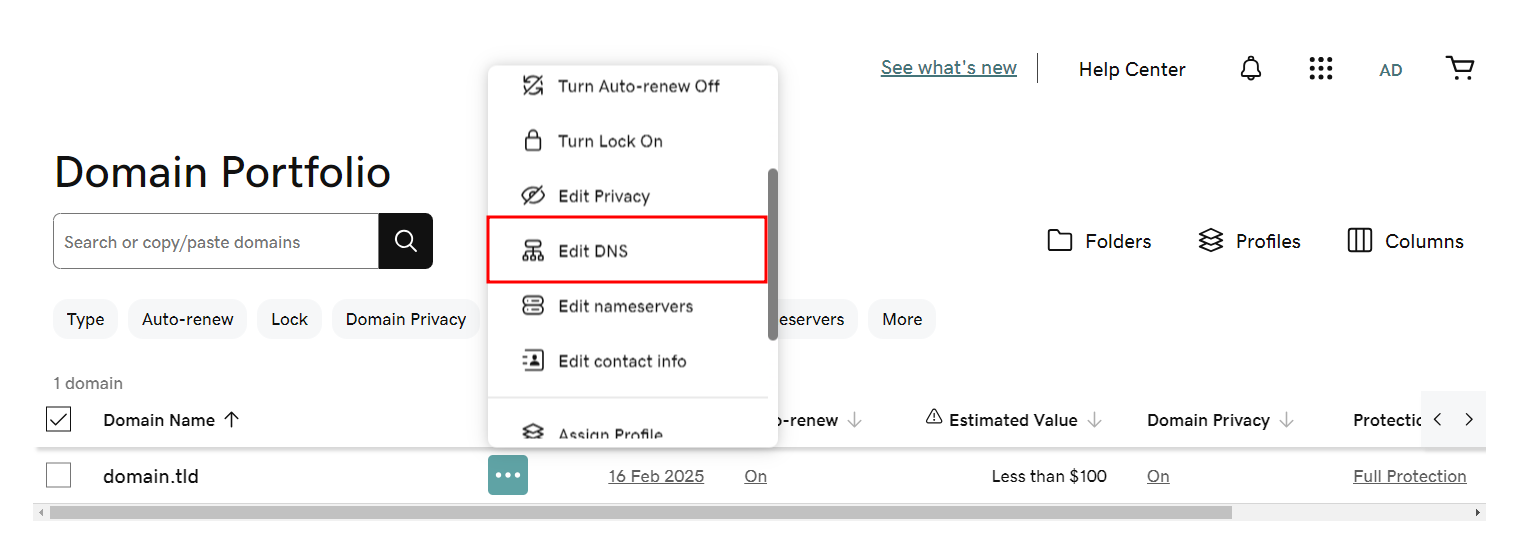
2. Find the domain you want to transfer, click the three-dot menu next to it, and select Edit DNS.
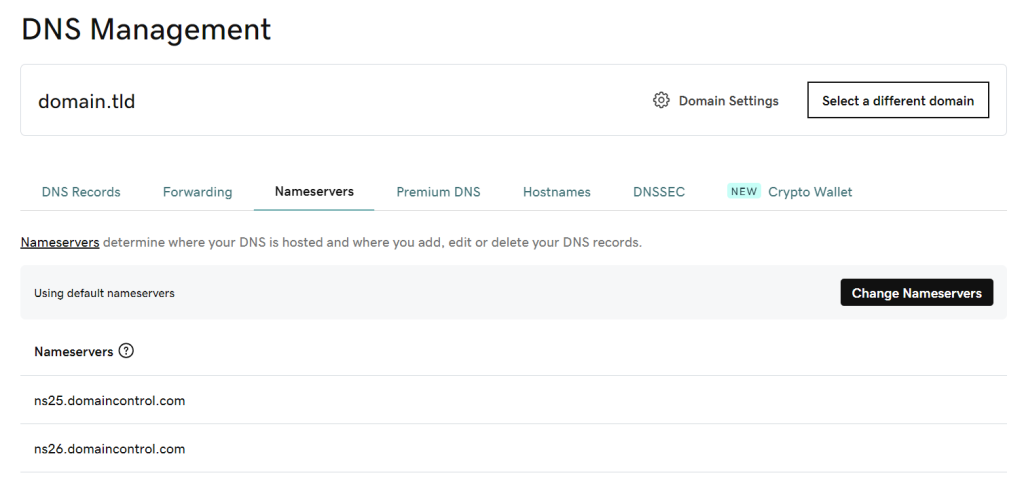
3. Go to the Nameservers tab and click Change Nameservers.
4. Choose I’ll use my own nameservers, then enter HostPepper’s nameservers: ns1.dnspepper.com and ns2.dnspepper.com.
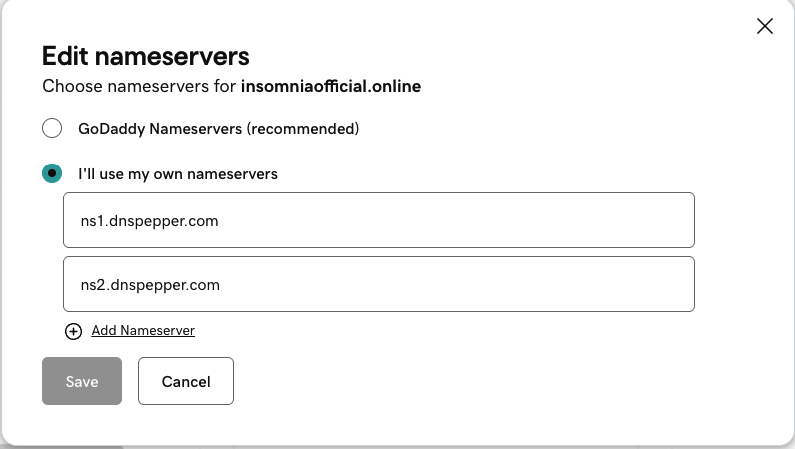
5. Click Save to apply the changes. DNS propagation may take up to 24 hours to complete globally.


SAFE AND SECURE PAYMENT