Support / Sub domains & DNS / How do I update DNS record?
Once you're on the DNS Administration & Subdomains page, you'll see all domains are listed in a table.
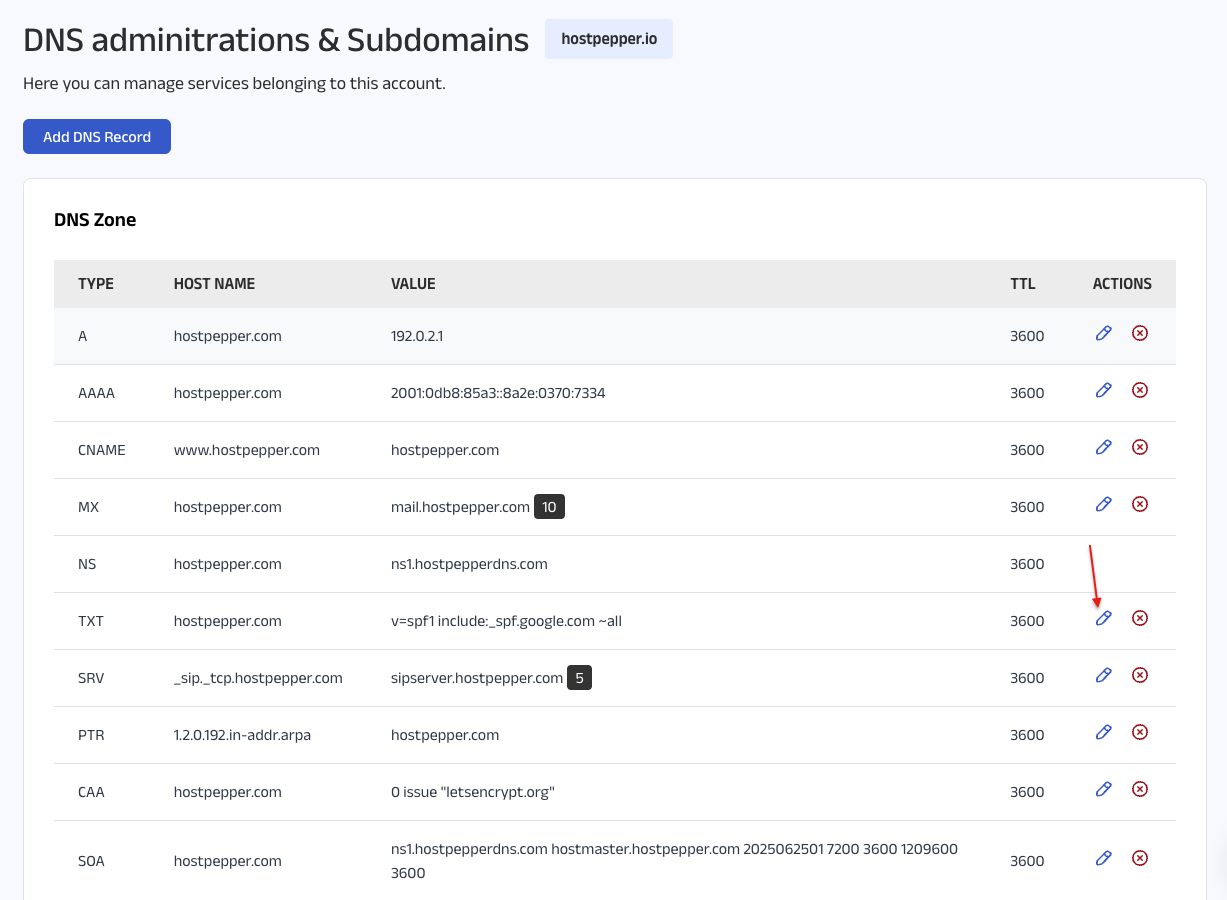
Click the edit icon next to the domain you want to update. A pop-up will appear displaying important information and prompting you to make changes.
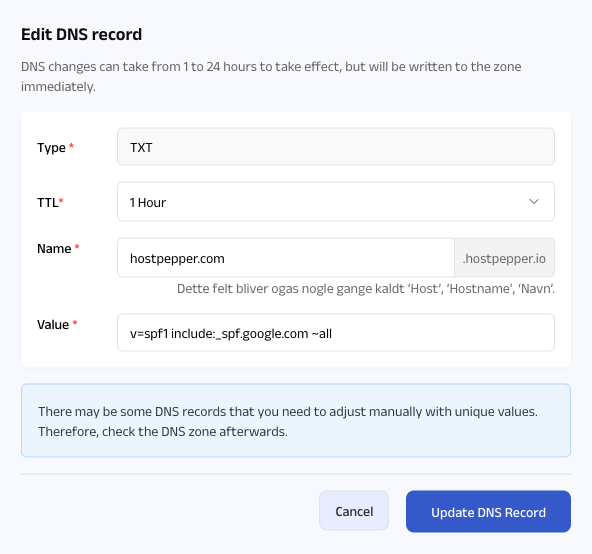
Make the necessary edits and click the Update DNS Record button. The changes will be applied immediately to the DNS zone.
Please note: As mentioned in the pop-up, DNS changes may take between 1 to 24 hours to fully propagate, even though they are written to the zone immediately.


SAFE AND SECURE PAYMENT