Support / File Manager / How do I delete a file or folder?

How do I delete a file or folder?

Once you're on the File Manager page, click the “X” icon next to the file or folder you want to delete.
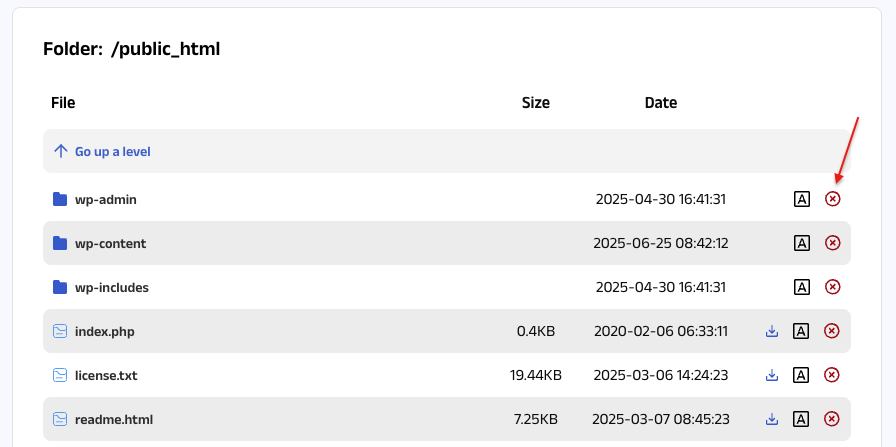
Once you're on the File Manager page, click the “X” icon next to the file or folder you want to delete.

A confirmation pop-up will appear asking, “Are you sure you want to delete this file or folder?”
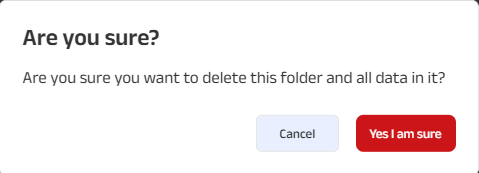
A confirmation pop-up will appear asking, “Are you sure you want to delete this file or folder?”

Click “Yes, I am sure” to confirm and delete the file or folder, or click “Cancel” to abort the action.

Note: If you need help navigating to this page, please click on this link.

Still can't find what you're looking for?

Contact Support
ellipse iconfooter back ground image
Host Pepper logo
Copyright © 2026 HostPepper. All Rights Reserved.