Support / Suitepepper / How we create a new contact?
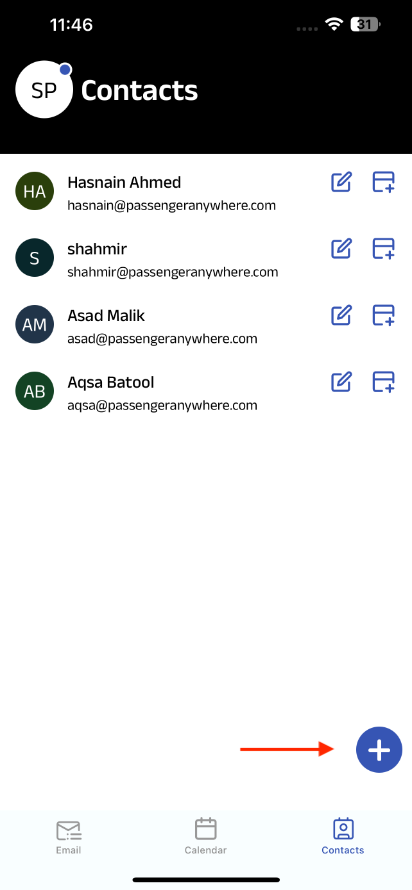
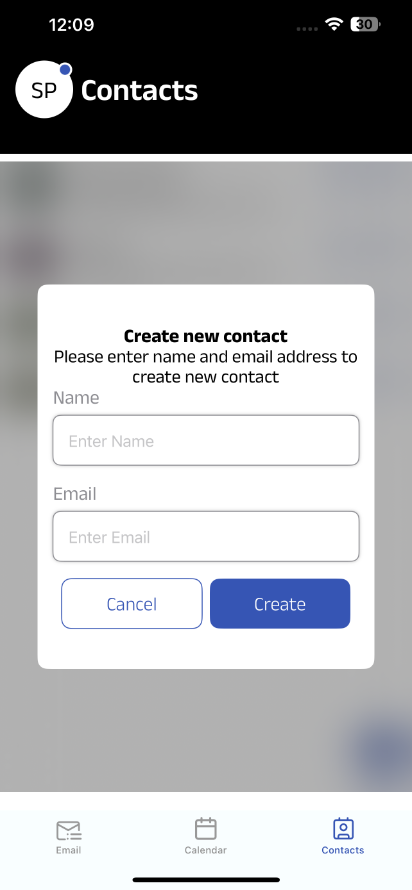
Tap the contact tab in the bottom navigation bar and click on plus on plus icon. an pop up will appear.
Enter the name & email and click on create.
Can I edit a contact?
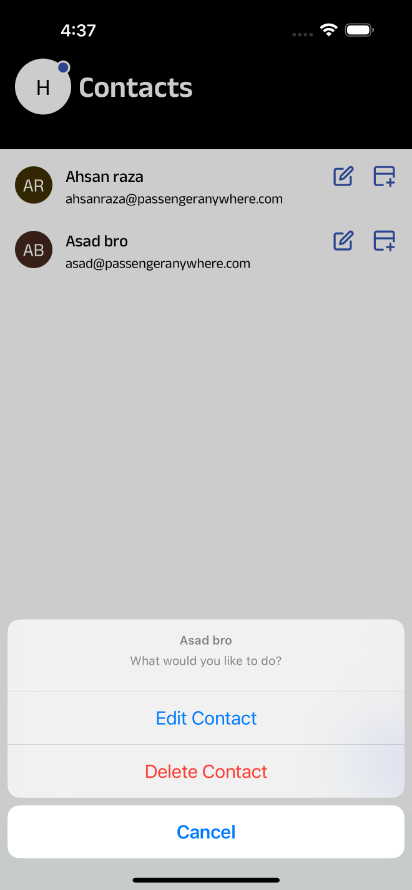
Yes. You can edit a contact by long-pressing on it. A popup will appear with multiple options, where you can select Edit Contact.
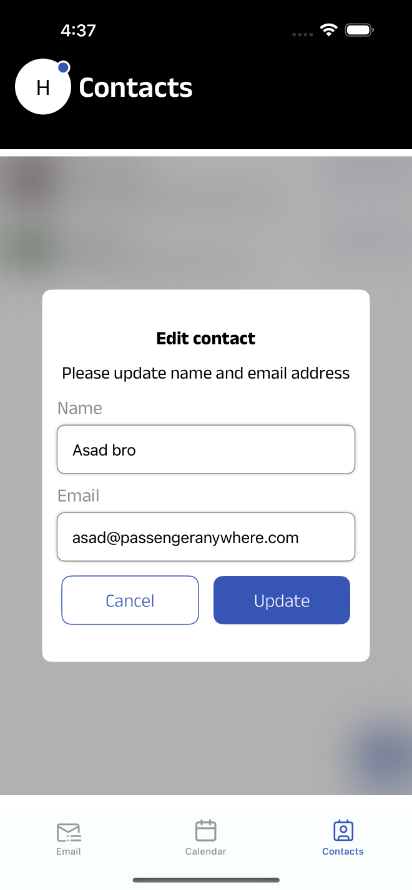
Enter the updated name or email, and then click Update to save your changes.
Can I add multiple contacts?.
Yes. You can add multiple (personal, work, or others). All contacts will appear in your Contacts tab.


SAFE AND SECURE PAYMENT